A GM at your pace.
Explore scenes, talk to characters, and make your own choices.
 narra.
Two ways to play. Both available now.
A Mac app for your tabletop RPGs. Head into an adventure of your own, or keep your table’s story close.
Both modes in one license. CA$30 one time.
Works with your ChatGPT Plus subscription ↗.
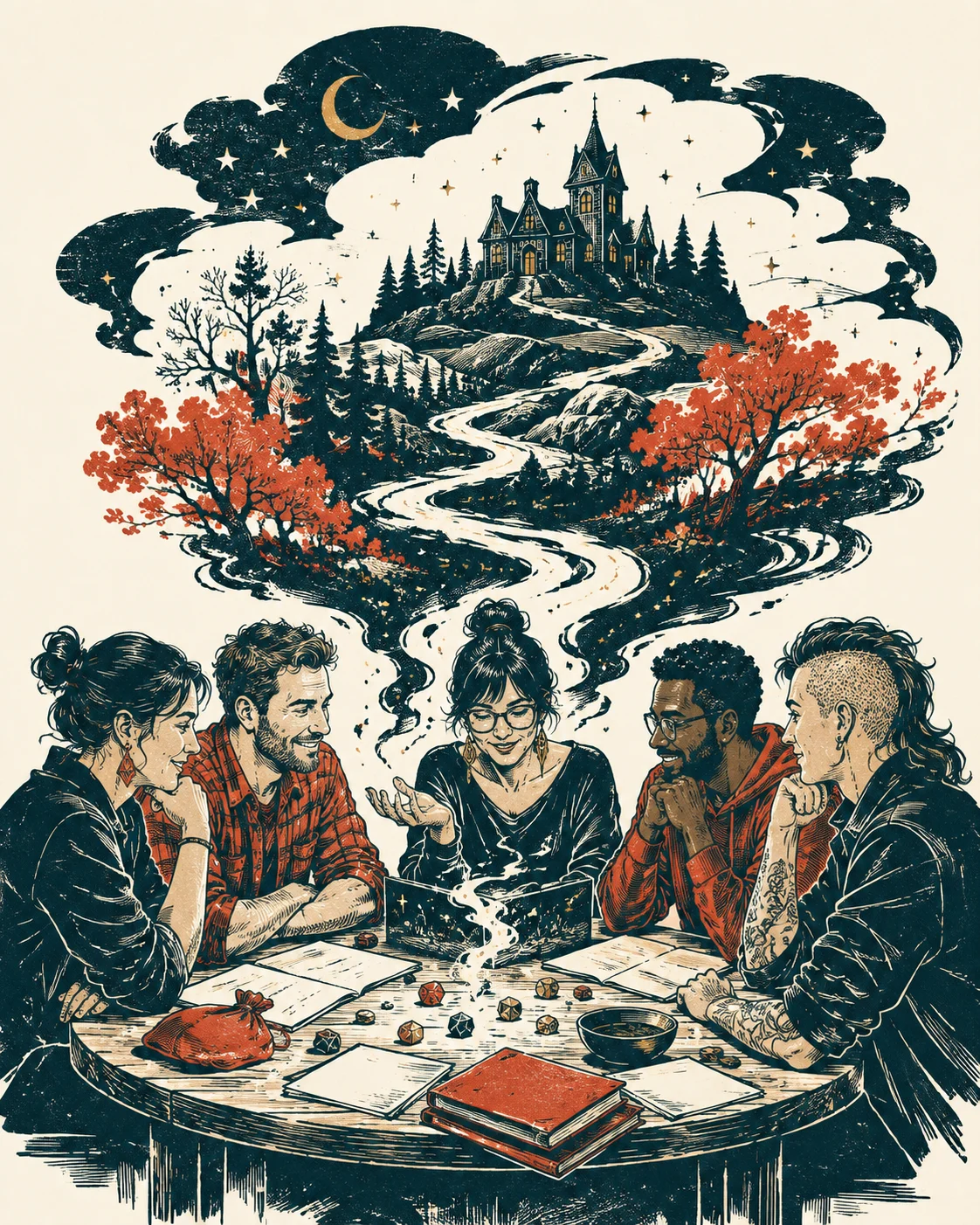
01 Play solo / Solo AI Game Master
No group or recording required. Create your character, choose the kind of adventure you want, and tell Narra what you do next. Your AI Game Master takes it from there.
A scripted demo with prepared example responses and a fictional campaign, shown in Narra’s light theme. Original artwork is illustrative. App views are cropped and enlarged for clarity; timing is condensed. English captions available.
Your own AI Game Master. Play a solo tabletop RPG: you choose what to do, and Narra runs the world.
Make your move. The player says, “I leap across the broken bridge.” A Dexterity check totals 18: d20 15 plus DEX 3. Narra responds, “You clear the gap and catch the far ledge.” A lantern flickers in the observatory window; someone is waiting. An illustration shows the traveler safely across the gap, with the observatory ahead. The artwork represents the imagined campaign; it is not an app game screen.
Keep the adventure going. The path leads toward the observatory. Back in the app, the player types, “I approach the observatory.” Narra works with ChatGPT Plus through Codex; plan usage limits apply.
Narra for Mac. Solo AI Game Master and Campaign Recorder are included in the CA$30 one-time personal-use license. Apple Silicon, macOS 14 or later. Your AI account or provider is required and its costs are separate.
Music credit. “Discovery” by Scott Buckley, released under CC BY 4.0. Edited for length, faded, level-adjusted, and mixed with original effects. www.scottbuckley.com.au.
Explore scenes, talk to characters, and make your own choices.
Resolve checks as the adventure unfolds.
Return to the people, places, and choices from earlier play.
02 Bring your table / Campaign Recorder
Ask the rulebooks, adventures and homebrew you’ve added. Follow answers to their sources—no recording required. Keep your table’s story with session recordings, recaps and reviewed memory updates, too. Your human Game Master stays in charge.
A scripted demo with prepared example responses and a fictional campaign, shown in Narra’s light theme. Original artwork is illustrative. App views are cropped and enlarged for clarity; timing is condensed. English captions available.
Your books, at the table. Your human Game Master runs the adventure. Upload your rulebooks and ask a specific question—no recording required.
Ask a rule. Check the page. This example uses the original, fictional Lantern Coast Field Guide. Ask, “How much damage does a poleaxe do?” Narra answers, “A poleaxe deals 1d10 slashing damage.” Open Evidence, then choose “View original page” to reach physical PDF page 2, where the matching passage is highlighted in the original page.
Remember the adventure, too. Record a session or import its audio. Review the recap, choose which memory updates to keep, and publish after your review. Your campaign record stays in editable files on your Mac.
Narra for Mac. Campaign Recorder and Solo AI Game Master are included in the CA$30 one-time personal-use license. Apple Silicon, macOS 14 or later. Your AI account or provider is required and its costs are separate.
Music credit. “Discovery” by Scott Buckley, released under CC BY 4.0. Edited for length, faded, level-adjusted, and mixed with original effects. www.scottbuckley.com.au.
For your table / Your reference books
Upload a PDF, ask a specific question, and follow the citation to the original page. Narra highlights the relevant passage when it can be matched.
Ask a specific question
 Narra
Narra
A poleaxe deals 1d10 slashing damage.
Follow the citation to check the original source.
An authored example, not a live AI chat. The guide and campaign are fictional. No account, upload or recording is needed to try this example.
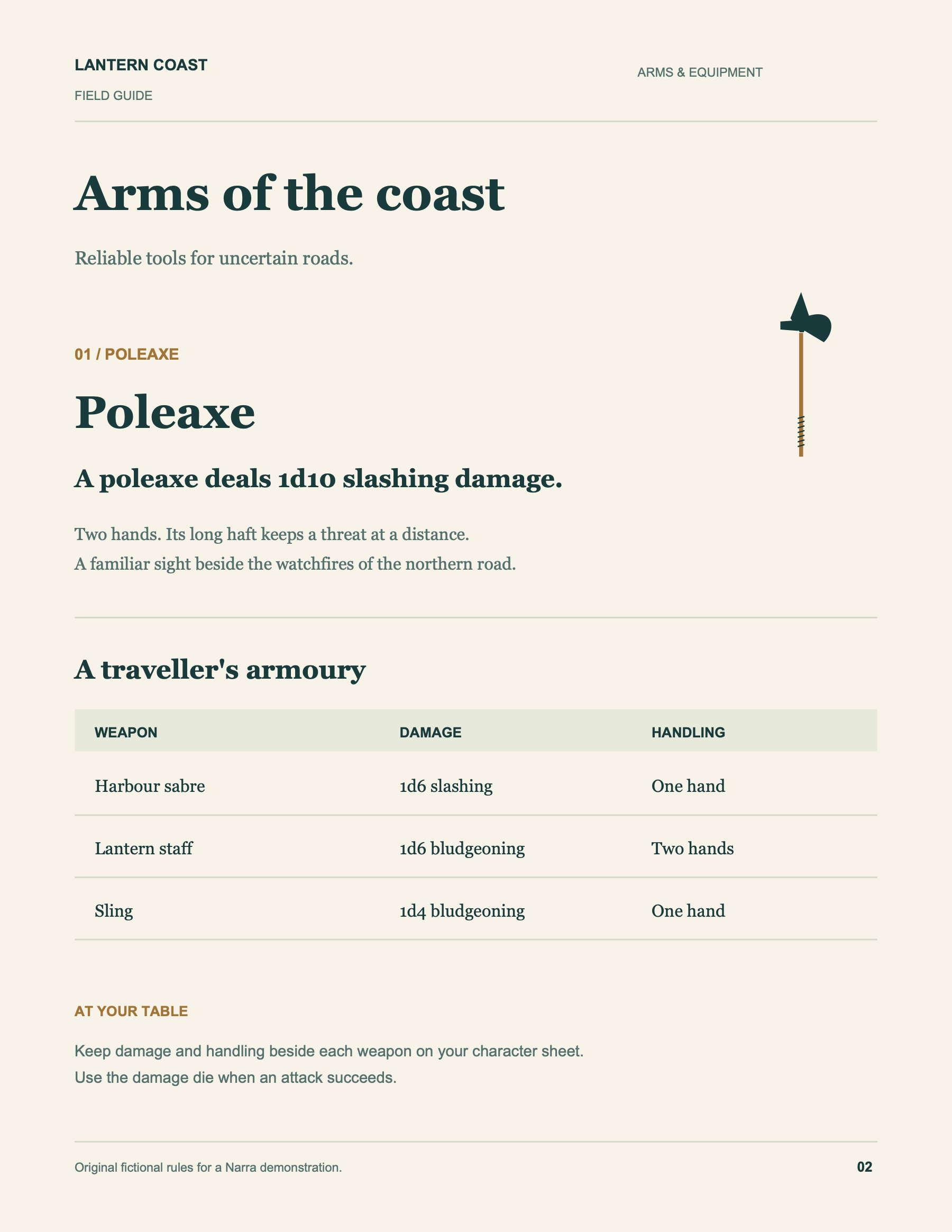
The original page, with the matching passage highlighted.
Cited passage · page 2A poleaxe deals 1d10 slashing damage.
Open the answer’s citation to see the page or the moment behind it.
Your books come firstAdd PDFs, Markdown or text. Choose which references Narra can consult.
Keep the secretsDM-only references stay out of party-safe answers and published recap context.
Check the actual passageOpen the original PDF. AI can get things wrong; the source helps you check.
Remember the adventure, too
At the table
Record your microphone or import audio later. Pause for a break. Mark a moment worth returning to. Keep playing while the recording controls stay close.
After the adventure
Get a speaker-aware transcript, a short recap, and proposed memory updates. Spot-check what matters. You decide what becomes the campaign record.
Before next time
Open “For tonight” for the last recap, loose ends, party goals, and your pinned notes. Prepare a recap to share with the party—after your review.
Ask searches saved campaign sources while you record. Transcripts and recaps are prepared after recording or import.
Bring your books before the first session. Keep the story after it.
How local and private work
Your campaign. On your terms.
Memory is Markdown. Transcripts, books, and audio live in your campaign folder. Open it in Obsidian, edit it in your favorite app, or back it up yourself.
Use your ChatGPT subscription through Codex, or choose another cloud or local AI provider. Change models, thinking effort, and supported Fast settings right in a chat.
No proprietary campaign archive.
A home for the long campaign
Solo AI Game Master and Campaign Recorder are both available now in the same personal-use Mac app. No separate mode purchase and no recurring Narra fee.
Your US$20/month subscription works with both modes through Narra’s OpenAI Codex connection. No API key or separate API bill for that connection. Your plan’s Codex usage limits apply.
Transcribe recordings locally on your Mac. Optional cloud transcription and other AI providers have their own costs.
How to connect ChatGPTCA$30one time
One personal-use license. Solo AI Game Master and Campaign Recorder are ready to use today.
AI access comes from your connected subscription or provider; it is not included in the Narra license. Base price in Canadian dollars; taxes and localized totals appear at checkout. Read the refund policy.
Yes. ChatGPT Plus (US$20/month) works with both Solo AI Game Master and Campaign Recorder through Narra’s OpenAI Codex provider. Install Codex on your Mac, sign in with your ChatGPT account, then choose OpenAI Codex in Narra’s Settings. You don’t need an API key or separate API billing for this connection. Codex setup instructions ↗
Narra uses your plan’s Codex allowance, shared with your other Codex use. Usage limits depend on your plan, model, and how much you play or process. Audio transcription is separate: use local transcription on your Mac, or pay your chosen cloud transcription provider. You can also connect another cloud provider or a compatible local model. ChatGPT plans and Codex limits ↗
Solo mode: Narra is the AI Game Master. You play a character and decide what to do. Campaign recorder: your human DM runs the game. Narra records, organizes, and helps you recall; the DM approves memory updates. Choose a mode when creating a campaign. You can keep separate solo and table campaigns in the same app—both modes use the same license.
Your campaign files and recordings are stored locally. Local transcription processes audio on your Mac after its models download. If you choose cloud transcription, audio goes to that provider. If you choose cloud AI for recaps or questions, relevant text and sources go to that provider. License activation also needs an internet connection. Local-first does not mean every configuration is offline.
No full audit is required. Narra suggests speaker names and can remember confirmed voices within a campaign. Noisy rooms, overlapping speech, and short turns can still be misattributed. Make an occasional correction if it helps, then review the recap and the memory changes you want to publish.
The table companion works with session audio, notes, and reference books rather than requiring a particular character-sheet format. You can bring the system you play. It is not a complete rules engine, and model answers should be checked against your books and your table’s rulings.
Narra runs on Apple Silicon Macs with macOS 14 or newer. Local speech models download on first use and need free storage. Narra supports configured cloud providers and local endpoints, including Ollama and LM Studio. Model availability, reasoning, Fast options, and charges depend on the provider.
Party-safe queries exclude DM-only notes and books, raw sources, and reviewed transcripts. It is a filtered view in your local app, not a separately authenticated player account. Review any recap before copying or exporting it: even a published recap can contain a spoiler. Narra never sends it to your party automatically.
You don’t need a hosted Narra campaign account. A license unlocks the desktop app and requires online activation. If you already have ChatGPT Plus, you can use it through Codex for both modes. Other AI providers may require their own account or usage payment. Updates are currently offered through the release download, not an automatic updater.
For the next “remember when…”
Come with friends, or start an adventure of your own.
Give the story somewhere to stay.
Bring your ChatGPT Plus subscription or your preferred AI provider.